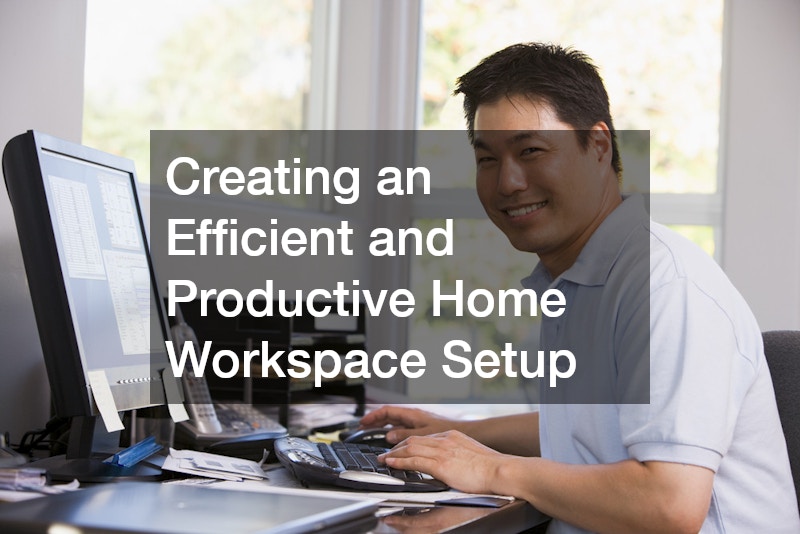
Working from home can be incredibly rewarding-but only if your workspace truly supports your productivity. Without a thoughtful setup, distractions pile up, clutter builds, and efficiency drops. The goal isn’t perfection-it’s creating a space that works for your lifestyle, responsibilities, and workflow.
This guide will walk you through practical, actionable strategies to help you design a workspace that keeps you focused, organized, and comfortable every day.
Choosing the Right Space for Your Home Office: Set the foundation for focus and consistency

Your workspace location plays a major role in how productive you feel throughout the day. A poorly chosen spot can lead to constant interruptions, while the right one naturally supports concentration and mental clarity. Ideally, your workspace should be in a quiet area with minimal distractions, but it should also feel comfortable enough that you don’t dread sitting down to work each day.
If you don’t have a dedicated room, don’t worry, many effective home offices are created in shared spaces. The key is defining clear boundaries. Even something as simple as a desk facing a wall or a bookshelf acting as a divider can help create a sense of separation between work and home life.
Parents often face unique challenges when working from home, especially with young children or pets. Planning your schedule around support systems can make a huge difference. For example, scheduling your most focused work hours when children are in day care lets you tackle high-priority tasks without constant interruptions. Similarly, arranging time at dog daycare can reduce distractions and give you uninterrupted blocks of productivity.
Simple ways to improve your workspace location:
- Choose a consistent spot you use only for work
- Avoid high-traffic areas like kitchens or living rooms during peak hours
- Use visual cues like lighting or decor to signal “work mode.
- Keep your setup ready so you can start quickly each day
Decluttering and Preparing Your Workspace for Success: Clear your space to clear your mind
A cluttered workspace often leads to a cluttered mind. When your desk is filled with unnecessary items, it becomes harder to focus, prioritize tasks, and stay organized. Taking the time to declutter your space can immediately improve your efficiency and reduce mental fatigue.
Start by removing everything from your desk and only putting back what you truly need. This process forces you to evaluate what’s essential versus what’s simply taking up space. Once you’ve streamlined your setup, maintaining it becomes much easier.
For deeper cleaning or when your entire home feels overwhelming, bringing in professional help like residential cleaning can reset your environment and give you a fresh, productive starting point. A clean space doesn’t just look better-it actively supports better work habits.
Managing paperwork is another important part of an organization. Sensitive documents should never pile up unchecked. Implementing a secure disposal system, such as paper shredding, helps protect your information while keeping your workspace tidy.
To maintain a clutter-free environment, focus on consistency:
- End each workday by resetting your desk
- Store items immediately after use instead of letting them pile up
- Keep a designated space for incoming paperwork
- Schedule regular cleanups to prevent buildup
Designing an Ergonomic and Comfortable Setup: Support your body to sustain productivity
Your physical comfort directly impacts how long and how well you can work. Poor ergonomics can lead to back pain, eye strain, and fatigue, all of which reduce productivity over time. Investing in a comfortable setup is one of the most important steps you can take.
Your chair and desk should work together to support proper posture. Your feet should rest flat on the floor, your back should be supported, and your screen should be at eye level. Small adjustments can make a big difference in preventing discomfort.
Electrical safety and reliability are also essential considerations. If your current setup involves overloaded outlets or tangled extension cords, it may be worth consulting an electrical contractor to ensure everything is safely installed. This not only protects your equipment but also gives you peace of mind while working.
Power interruptions can also disrupt your workflow, especially during important meetings or deadlines. Installing a house generator can provide backup power and keep your work running smoothly even during outages.
Key ergonomic improvements to consider:
- Use an adjustable chair with lumbar support
- Position your monitor at eye level to reduce neck strain
- Keep your keyboard and mouse at a comfortable height
- Take regular breaks to stretch and reset your posture
Optimizing Technology and Equipment for Productivity: Use the right tools to work smarter
Having the right technology in place can significantly improve your efficiency and reduce unnecessary frustration. Your equipment should support your workflow, not slow it down.
A reliable computer and fast internet connection are non-negotiable, but beyond that, consider how your tools can streamline your tasks. For example, if you frequently handle documents, investing in a laser printer can save time and reduce long-term printing costs. These printers are known for their speed, durability, and ability to handle high-volume tasks.
For larger or more specialized printing needs, working with a local printing service can be a practical solution. This allows you to outsource time-consuming tasks while still maintaining professional-quality results.
When setting up your tech, organization is just as important as the devices themselves. Keeping cables tidy and ensuring everything has a designated place can make your workspace feel more efficient and less overwhelming.
Ways to improve your tech setup:
- Use cable management tools to reduce clutter
- Keep backup copies of important files
- Regularly update your software and systems
- Invest in tools that match your workload
Using Smart Tools to Streamline Your Workflow: Automate tasks to save time and energy
Technology can do more than just support your work-it can actively improve how you manage your day. By incorporating smart systems, you can reduce repetitive tasks and streamline your workflow.
Home automation is a powerful way to simplify your environment. Automated lighting, temperature control, and even scheduled routines can help create a workspace that adjusts to your needs without constant manual effort. For example, having lights turn on at your start time or automatically adjusting the room temperature can make your workspace more comfortable and consistent.
Beyond physical automation, digital tools can also improve your workflow. Task management apps, calendar systems, and communication platforms help you stay organized and keep everything in one place. The key is choosing tools that fit your style rather than overwhelming yourself with too many options.
To get the most out of automation:
- Start with one or two tools and expand gradually
- Automate repetitive daily tasks
- Use reminders to stay on track without overthinking
- Regularly review your systems to ensure they’re still effective
Creating a Distraction-Free Work Environment: Take control of your focus
Distractions are one of the biggest productivity challenges when working from home. From household noise to unexpected interruptions, it’s easy to lose focus if you don’t actively manage your environment.
Start by identifying your biggest distractions. For some, it’s noise; for others, it’s interruptions from family members. Once you know what’s affecting your focus, you can take steps to reduce or eliminate those distractions.
Noise control can be as simple as using headphones or adding soft furnishings to absorb sound. Setting clear boundaries with family members is also essential. Let them know your work hours and when you should not be disturbed.
For parents and pet owners, structured support can make a significant difference. Coordinating time in day care or scheduling time at dog daycare can provide uninterrupted periods for focused work, especially during critical tasks.
Strategies to minimize distractions:
- Use noise-canceling headphones or white noise
- Set clear working hours and communicate them
- Keep your workspace separate from leisure areas
- Plan your most important tasks during your most focused hours
Organizing Documents and Supplies for Easy Access: Build systems that save time

An organized workspace isn’t just about appearance-it’s about efficiency. When everything has a designated place, you spend less time searching for items and more time getting work done.
Start by creating a simple filing system for both physical and digital documents. Categorize files in a way that makes sense to you and label everything clearly. This reduces confusion and speeds up retrieval.
Supplies should also be organized based on frequency of use. Items you use daily should be within easy reach, while less frequently used items can be stored away.
Security is another important factor. Sensitive documents should never be left unsecured. Using paper shredding ensures that confidential information is disposed of safely and responsibly.
To maintain organization:
- Review your files regularly and remove outdated items
- Keep a small supply inventory to avoid overbuying
- Store similar items together for easy access
- Use trays or organizers to keep surfaces clear
Planning for Office Transitions or Upgrades: Adapt your space as your needs evolve
Your workspace should grow and change as your needs do. What works today may not be sufficient a year from now, especially if your workload increases or your role changes. As responsibilities evolve, your setup should support new tools, workflows, and time demands without slowing you down or creating unnecessary friction.
Signs that it may be time to upgrade include a lack of space, outdated equipment, or frequent workflow inefficiencies. You might notice that you’re constantly rearranging your desk, running out of storage, or dealing with slow or unreliable tools. Planning ahead can make transitions smoother and less disruptive, allowing you to upgrade in phases rather than rush costly changes.
If you’re making significant changes, such as moving equipment or reconfiguring your space, working with office movers can help ensure everything is handled efficiently and safely. This is especially useful for larger setups or when relocating your workspace within your home. It reduces physical strain and helps protect valuable equipment during the process.
When upgrading, consider both functionality and comfort. Small improvements, like better lighting, additional storage, or upgrading to more efficient tools, can have a big impact on your daily productivity. Even minor adjustments can streamline your workflow, reduce distractions, and create a more enjoyable work environment that supports long-term success.
Maintaining Your Workspace for Long-Term Productivity: Build habits that keep your system working
Creating a productive workspace is only the first step; maintaining it is what ensures long-term success. Without consistent upkeep, even the best setups can become cluttered and inefficient over time.
Developing simple habits can make maintenance feel effortless. Regular cleaning, organizing, and reviewing your setup helps prevent small issues from becoming bigger problems.
For deeper maintenance, scheduling periodic services, such as residential cleaning, can help keep your entire environment in top condition. A clean home supports a clear mind, which directly impacts your work performance.
Focus on building sustainable routines:
- Set aside time each week to tidy and organize
- Reevaluate your setup every few months
- Replace or upgrade tools as needed
- Stay flexible and adjust your workspace as your needs change
Building a Workspace That Supports Work-Life Balance: Create boundaries that protect your time

One of the biggest challenges of working from home is separating work from personal life. Without clear boundaries, it’s easy to feel like you’re always “on.”
Your workspace should help create that separation. When you step into your workspace, you’re in work mode. When you leave it, you should feel like your workday is over.
Establishing routines can reinforce this boundary. Start your day with a consistent routine and end it with a clear shutdown process. This signals to your brain that it’s time to transition.
Support systems also play a role in maintaining balance. Whether it’s arranging child care or scheduling time at dog daycare, having dedicated time for work allows you to be more present during your personal time.
Creating an efficient and productive home workspace isn’t about having the perfect setup-it’s about building a space that supports your daily habits, responsibilities, and goals. By choosing the right location, staying organized, investing in comfort, and using the right tools, you can transform your home workspace into a place where you consistently do your best work.
Start with small improvements, stay consistent, and adapt your setup as your needs evolve. Over time, these changes will lead to a workspace that not only boosts productivity but also supports a healthier and more balanced work-from-home lifestyle.